

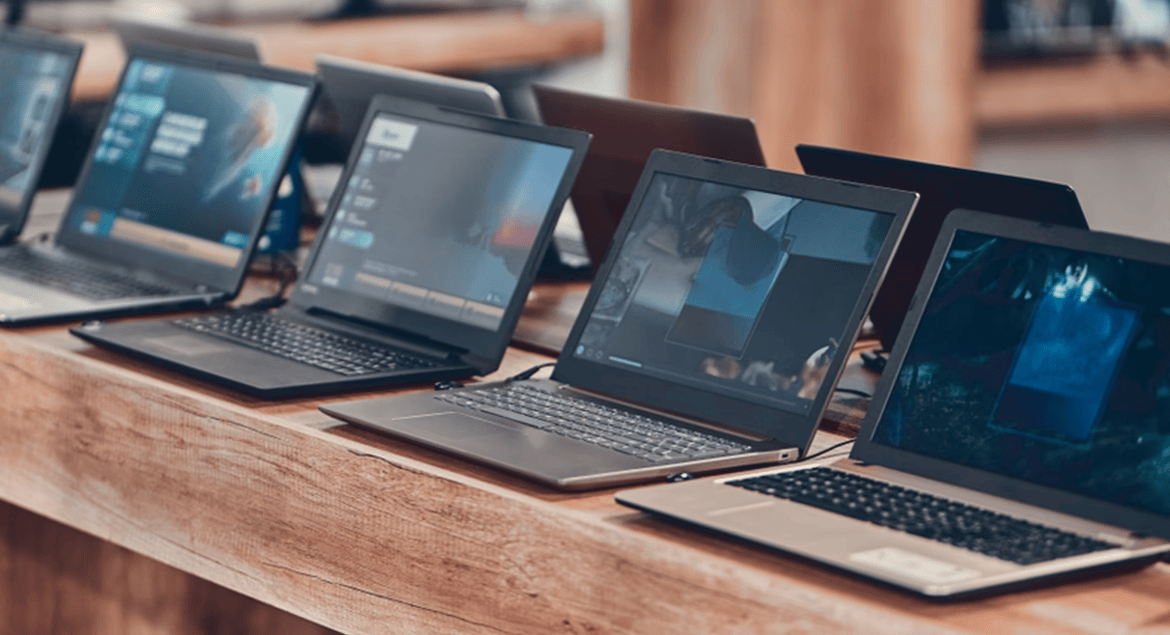
Microsoft ended support for Windows 10 on October 14, 2025, which makes Windows 11 support the first thing to check when you’re buying a laptop for university students in Nigeria this admission season. It matters more than the processor badge or the price, because a lot of the UK-used and ex-corporate laptops sold to freshers are older models that were never approved for the upgrade.
That matters for a student more than most buyers, since the laptop has to last four or five years of assignments, online portals, banking and exam registrations. JAMB has set October 31 as the deadline for public universities to conclude 2026 admissions, so many families will be shopping over the next few weeks. The good news is that you can check Windows 11 support in a few minutes in the shop, and the checks below will also tell you whether the battery, storage and memory are worth the money.
| Processor | 1GHz or faster, 2 or more cores, on Microsoft's compatible 64-bit list |
|---|---|
| RAM | 4GB |
| Storage | 64GB or larger |
| Security chip | TPM 2.0 |
| Firmware | UEFI, Secure Boot capable |
| Graphics | DirectX 12 compatible with WDDM 2.0 driver |
| Display | 720p, larger than 9 inches |
Why a Windows 10 laptop is a risky buy for a fresher in 2026
Windows 10 still boots and runs after end of support, so the laptop won’t stop working the day you buy it. What it stops getting is regular security fixes, and Microsoft now only offers Extended Security Updates for Windows 10 as a temporary bridge rather than a long-term plan. A student laptop is used for school portals, NELFUND applications, email and mobile banking on the web, which is exactly the kind of use you don’t want running on an unpatched system for years.
The trap is that plenty of older business laptops look perfect on paper, with a Core i5 or Core i7 badge, 8GB of RAM and an SSD, but their processors aren’t on Microsoft’s supported list. As a rough guide, Intel chips from the 8th generation onwards and AMD Ryzen 2000 series onwards are the ones Microsoft supports, though you should confirm the exact model against Microsoft’s Windows 11 specifications page. A 6th or 7th generation Core i7 can still be a fast machine, but it’s the wrong machine to hand to a student who needs it until 2030.
Check these on the laptop before you pay
Ask the seller to switch the laptop on and give you a few minutes with it. None of these checks need the internet, and a seller who refuses to let you run them is telling you something about the machine.
The battery check is the one people skip, and it’s the one that hurts most on a campus where power isn’t constant. A laptop whose full charge capacity has fallen to about half of its design capacity will struggle through a single lecture, and a replacement battery adds to the real cost. If the report shows a big gap, use it to negotiate or walk away.
How much laptop does a Nigerian university student actually need?
For most courses, the real answer is less than sellers suggest. Law, social sciences, arts, business and most science students mainly need Microsoft Office or Google Docs, a browser with a few tabs, PDFs and video calls. A Windows 11 supported laptop with 8GB of RAM, a 256GB SSD and a healthy battery handles that comfortably, and 16GB is worth paying for if the price gap is small. Our guide on buying a laptop without getting stuck with 8GB explains how to tell whether memory can be added later, which is the cheaper route for many families.
Engineering, architecture, computer science and some design courses are different, because software like AutoCAD, MATLAB or 3D tools can lean hard on the processor, memory and graphics. If your child is heading into one of these, check the department’s software list or ask a senior student before you buy, and lean towards 16GB of RAM from the start. Whatever the course, a laptop only helps if it stays charged, so a genuine power bank that can charge a laptop over USB-C is worth considering, and our guide on checking whether a power bank holds what it claims will help you avoid a fake one.
The safest order to shop in before resumption
Start by deciding what the course needs, then shortlist laptops that officially support Windows 11, and only after that compare prices. We haven’t listed naira prices here because UK-used laptop prices vary widely by model, condition and seller, so compare the same model across at least two sellers and keep your receipt. The practical aim isn’t to buy the most powerful laptop you can afford. It’s to buy one that will still be supported, still hold a charge and still be fast enough when your student is in final year.


Join the conversation