

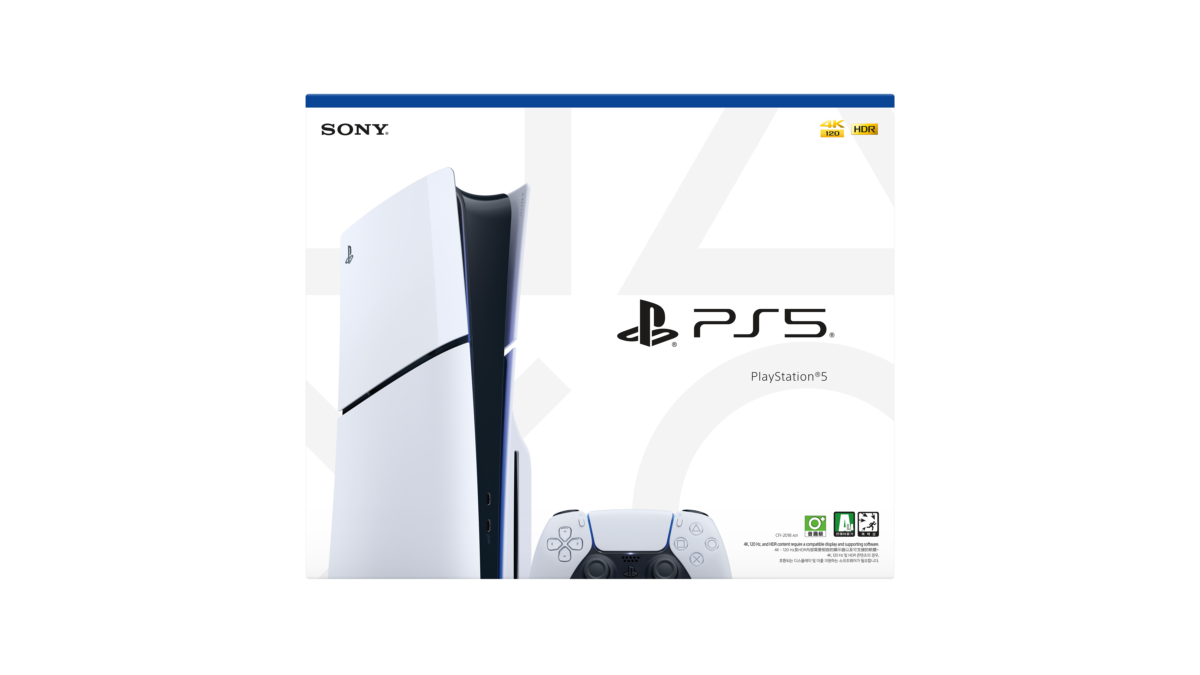
Grand Theft Auto VI launches on November 19, 2026, according to Rockstar’s confirmation, and for a lot of PS5 owners the first problem won’t be the price of the game but the space it needs. Sony’s current PS5 Slim ships with a 1TB SSD, part of which the system software already uses, and Rockstar hasn’t published an official install size yet, so anyone whose console is already packed with FC, Call of Duty and a few big single-player games is choosing between deleting favourites and a PS5 SSD upgrade.

That upgrade means an M.2 SSD in the PS5’s expansion slot, and this is where a wrong purchase costs you. Sony’s official M.2 installation guide sets out exactly which drives the console accepts, and a drive that looks right in a shop can still fail one of those rules. Go through the five checks below with the seller before you pay, using the drive’s exact model number and the manufacturer’s own spec sheet.
The PS5 SSD upgrade rule most buyers trip over is Gen4
M.2 drives come in PCIe Gen3, PCIe Gen4 and SATA versions that can look almost identical in the packet. Sony’s guide is specific that the PS5 needs a PCI-Express Gen4x4 M.2 NVMe SSD with an M key, and it states plainly that M.2 SATA SSDs are not supported. Confirm the interface on the manufacturer’s own product page, since a label that only says “NVMe” doesn’t tell you the PCIe generation.
Speed is the next filter. Sony recommends a sequential read speed of 5,500MB/s or faster, so check the drive’s rated sequential read figure on its spec sheet. Capacity has a ceiling as well as a floor, running from 250GB to 8TB, although a 250GB drive would barely help with a game the size of GTA 6. For most players, 1TB or 2TB is the range where the extra space makes a real difference.
Cooling and thickness decide whether the drive fits at all
Sony requires a heatsink or a heat transfer sheet on the drive, and it accepts both single-sided and double-sided SSDs. The catch is size. Including the cooling, the drive must be no more than 25mm wide and 11.25mm thick in total, with no more than 8mm above the board and 2.45mm below it, and the length must match one of the supported sizes from 30mm up to 110mm. If you’re buying a heatsink separately, compare its listed height with that 8mm limit before you pay for it.
Sony also warns against adding a heatsink to a drive that already has one built in. If the SSD you’re holding ships with its own heatsink, check that the combined dimensions on the spec sheet sit inside Sony’s limits, because you can’t stack a second one on top.
Fitting it takes one screwdriver and wipes the new drive
The job itself is light. Sony says you need a #1 Phillips or cross-head screwdriver, a well-lit table and, ideally, a small torch, and it advises touching a grounded metal object first to discharge static. Update your PS5 to the latest system software before you start, then remove the console cover, take off the expansion slot cover, set the spacer to your drive’s length, slide the SSD in at an angle and screw it down. How you remove the cover depends on your model, and Sony gives separate steps for the CFI-1000 group and the CFI-2000 and CFI-7000 group, so check the model number on your console first.
When you switch the console back on, it prompts you to format the drive, and Sony notes that formatting erases everything on it. That’s fine for a new SSD, but don’t fit a drive that holds files you still need. Once it’s formatted, you can move existing games across and keep the internal storage free for GTA 6’s download.
With release day on November 19, the safest order is to check how much free space your console has in its storage settings, decide whether deleting a few old games covers it, and only then buy a drive, running through the checklist above with the seller. A Gen4 NVMe drive with the right speed, size and cooling will serve the PS5 for years, which makes it a better use of your money than a cheaper drive that the console refuses to recognise.



Join the conversation