

Google Wallet arrived in Nigeria on October 28, 2026, letting Android users with a supported bank card pay by holding their phone against a contactless terminal, and that turns NFC from a spec most buyers skip into one worth checking before you hand over money for a new phone. Google’s tap to pay help page says the app needs Android 9 or higher, and contactless payments only work with NFC switched on, so a phone without the NFC chip can’t tap to pay at all.
NFC isn’t the only hurdle, which is why a phone that looks perfect on the shelf can still fail. Google also refuses phones that are rooted, run a custom ROM, have an unlocked bootloader or aren’t Play Protect certified, and those problems are more likely on grey imports and UK-used phones whose history you can’t see. If you’re shopping this week, a few minutes with the seller’s demo unit will tell you more than the box will.
NFC is the spec that decides whether your phone can tap at all
NFC, or near field communication, is the short-range radio a phone uses to talk to a contactless terminal a few centimetres away. Google says it must be switched on for contactless payments, and that the antenna can sit near the top or the middle of the phone, so if a first tap fails, try again with that part of the phone held still over the reader for a few seconds. A thick case can also get in the way, which is worth knowing before you buy a rugged cover for a new phone.
Don’t rely on the price to tell you whether NFC is there. Manufacturers decide model by model, and sometimes market by market, so the safest check is the phone itself and the official spec sheet for the exact variant on the counter. If NFC matters to you and the seller can’t show it in Settings, walk away, because no update will add a chip the phone doesn’t have.
A used or imported phone can fail Google’s security checks
Google lists four kinds of phone that won’t tap to pay, namely those running developer versions of Android, those that are rooted or carry a custom ROM or modified factory software, those with an unlocked bootloader, and models Google hasn’t tested and approved. Most of these are invisible from the outside, so ask a reseller directly whether a phone has been unlocked, rooted or reflashed, and check Play Protect status in the Play Store before you pay. We’ve used the same Play Protect check in our guide to buying an Android TV box in Nigeria, and it works the same way on phones.
A phone that passes Google’s checks still needs to pass Nigeria’s. Any imported handset should clear the NCC’s device checker, and our guide to checking a phone under the NCC rules covers dialling *315# and what to do if the result comes back wrong.
Your bank card has to qualify too
Even the right phone won’t help if your card isn’t supported. Google’s list of supported cards for Nigeria currently covers FirstBank, GTBank, Providus Bank, UBA and Zenith Bank, almost entirely on Mastercard, with UBA’s Visa prepaid card as the only Visa entry. Google also says each bank decides whether its cards work, so check with your bank before you choose a phone around a payment feature you can’t yet use.
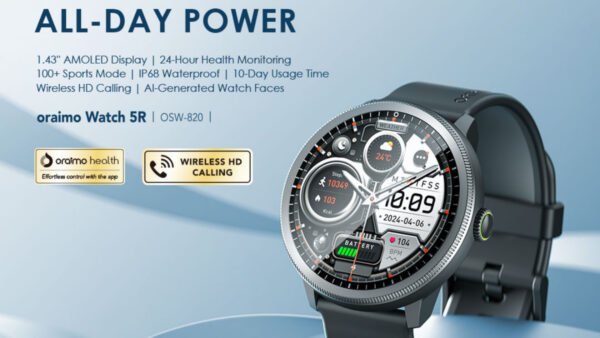
Google Wallet works on Wear OS watches as well as phones, according to its Google Play listing, but a smartwatch only helps if it actually runs Wear OS, so check the operating system on the box before you count on paying from your wrist.
If tap to pay is on your list for your next phone, ask to see NFC in Settings and Play Protect certification in the Play Store before money changes hands. Those two checks take under a minute, and they’re the difference between a phone that pays at the counter and one that only pays online.

Join the conversation