

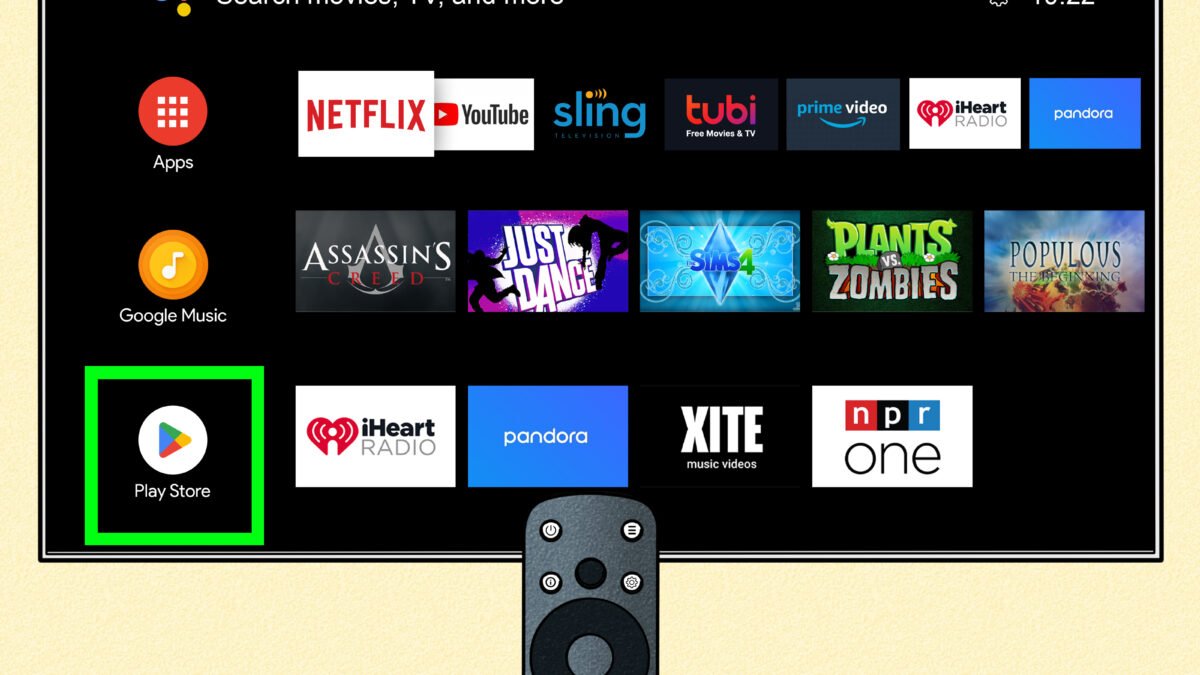
An Android TV box in Nigeria is only worth buying if it’s Play Protect certified, because Google’s own support pages warn that uncertified devices may not be secure, may not get system or app updates, and run Google apps that aren’t licensed or genuine. That check takes under a minute in the Play Store, and it’s easy to skip when a cheap box is being sold on the promise of free channels.
The reason it matters more now is malware that ships on the box itself. In June 2025, the FBI warned that a botnet called BADBOX 2.0 had infected millions of TV streaming devices, projectors and similar gadgets, mostly made in China, and Google took legal action against its operators a month later after it spread to more than 10 million uncertified Android devices. The good news is that you don’t need any technical skill to avoid these boxes, only a few checks before you pay.
Why an uncertified Android TV box can be compromised before you open it
Many generic boxes run Android’s open-source code without Google’s licence, which means they skip the compatibility testing that certified devices go through. Google said the BADBOX 2.0 devices ran “Android’s open-source software (Android Open Source Project), which lacks Google’s security protections”, and the FBI’s public alert explained that criminals either load the malicious software before the device is sold or slip it in through apps you’re asked to install during setup.
Once that happens, the box can quietly use your internet connection for fraud and other activity in the background. On a capped MTN, Airtel or Glo router plan, that can also show up as data you can’t explain, and it puts every other device on the same Wi-Fi network at risk. The FBI listed unknown brands, boxes marketed as “unlocked” for free content, and devices that ask you to turn off Google Play Protect as the warning signs to watch for.
| Play Protect certified box | Uncertified generic box | |
|---|---|---|
| Google Play Store | Official, licensed by Google | Missing, or an unlicensed copy |
| Play Protect scanning | Built in | Not guaranteed |
| System and app updates | Delivered through official channels | May never arrive |
| Netflix from the Play Store | Available on supported devices | Not listed if the device isn't compatible |
Play Protect certified box wins on 4 of 4 counts.
Check Play Protect certification on the shop’s demo unit
Ask the seller to power the box on and connect it to a TV before you pay. Open the Play Store, tap your profile icon, go to Settings > About, and look at the Play Protect certification line. If it says the device is certified, you’re dealing with a box that passed Google’s testing. If it says uncertified, or there’s no genuine Play Store on the box at all, walk away, whatever the price.
Netflix offers a useful second check, because the streaming service says that if you can’t see the Netflix app in the Google Play Store on an Android TV device, the device isn’t compatible. On its help page for error -13, it advises using a different, compatible device instead, so a box that only runs Netflix through a downloaded APK file is failing the same test from another direction.
Which brands to start with if you want a safe box
Google keeps a list of its Android TV and Google TV partners on the official Android TV site, and it’s the quickest way to sense-check a brand you’ve never heard of. Names such as Xiaomi, TCL, Sony and NVIDIA appear there, and a box from a listed partner that passes the Play Store check is a far safer starting point than an unbranded one. Some features and devices on that list aren’t available in every country, so still confirm the specific model in front of you.
If your TV is old and you’re weighing a box against a replacement, our checklist for buying a smart TV in Nigeria covers the other route. Whichever you choose, plug it into a surge protector or stabiliser that suits your power situation, because the box sits on the same supply as the TV it’s connected to.
The practical aim isn’t to avoid budget boxes altogether. It’s to make sure the one you bring home is certified, gets its apps from the real Play Store, and never asks you to switch off the protection that’s there to keep your home network safe.

Join the conversation