

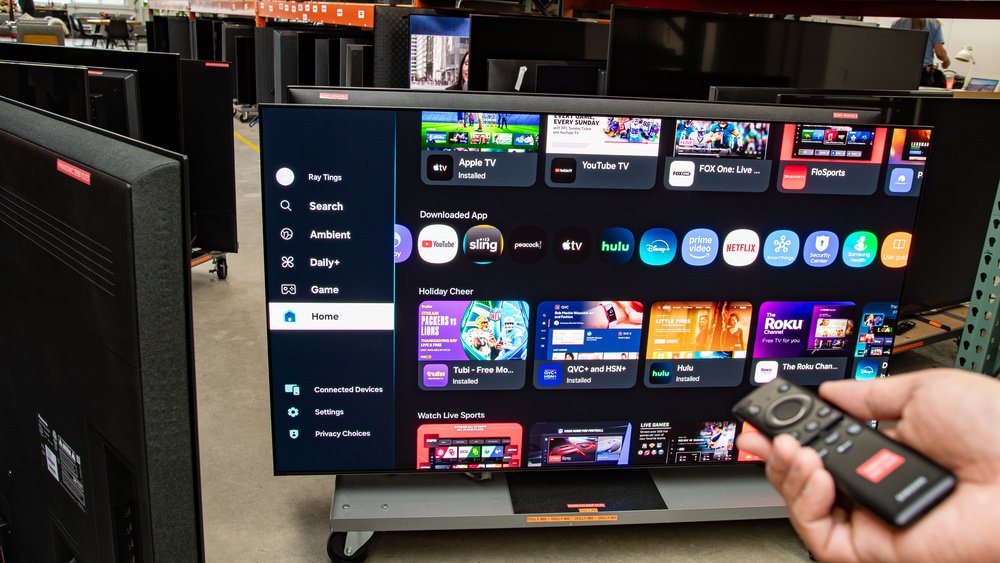
Buying a smart TV in Nigeria comes down to more than screen size and price, because the software inside the TV decides which apps you can install, how long it stays useful, and whether Netflix or the DStv app will even run on it. Two 43-inch sets at the same price can feel completely different a year later if one runs a certified, supported platform and the other runs a generic system that never gets an update.
Most TVs you’ll see in Lagos, Abuja or Port Harcourt shops fall into a few groups, from Samsung’s Tizen and LG’s webOS to Hisense’s VIDAA and the many brands running Android TV or Google TV. There’s also a big pool of UK-used and grey-import sets. None of these is automatically a bad buy, but each one needs a slightly different check before you hand over money. Work through the points below in the shop, with the TV switched on, rather than at home after the receipt is printed.
The operating system decides which apps your smart TV in Nigeria will run
Ask the seller which platform the TV runs and which version, then confirm it yourself in Settings > About or Settings > Support. If the answer is just “Android” with no brand of interface behind it, look closer, because that’s where the cheapest sets usually cut corners.
For Android TV and Google TV sets, the key detail is Google Play Protect certification. Netflix says on its help page for the “device incompatible” error that Android devices need to be Play Protect certified, and that an uncertified device doesn’t meet its minimum requirements. Google’s own certification guide adds that uncertified devices may not get system or app updates and that apps on them may not work correctly. You can check this in the shop by opening the Play Store, going into Settings > About and reading the Play Protect certification line. If it says the device isn’t certified, walk away, however good the picture looks.
If you plan to watch football through the DStv app rather than a decoder, check the TV against DStv’s published list. The minimum versions DStv lists on its device compatibility page are below, though DStv notes the list can change, so treat it as a starting point and confirm the app installs on the exact set in front of you.
| Android TV | Play Protect certified, Android 8.0 or higher |
|---|---|
| Samsung | Tizen 4.0 or higher |
| LG | webOS 4.0 or higher |
| Hisense | VIDAA U3 or higher |
| Apple TV box | 4th generation onwards, tvOS 15 or later |
The same logic applies to Showmax, YouTube and Prime Video. Don’t take “it has all the apps” from the seller at face value. Ask them to open the app store on the display unit, search for the apps you actually use, and install one while you watch. A TV that can’t do that in the shop won’t do it at home either.
UK-used and grey-import TVs need a panel test before anything else
A used TV’s biggest risk is the panel, because a cracked or failing screen usually costs close to the price of a new set to replace. Bring a flash drive with a few plain full-screen images (pure white, pure black, red, green and blue) and play them through the TV’s media player. Dead pixels show up as dots that never change colour, while backlight problems show up as bright patches or dark bands on the white and black images.
Look at the screen from the side as well as straight on, and run it for at least ten minutes. Some faults, like flickering or a dimming backlight, only appear once the set warms up. Check every HDMI port with a real source such as a decoder, a laptop or a console, since a dead port is a common fault on sets that have been shipped in containers. Finally, confirm the remote works for everything, including the app buttons, because replacement remotes for less common models can be hard to find.
On an imported Android TV, the Play Protect check above matters even more. Some grey-market sets ship with region-specific firmware, and you want to know before you pay whether the apps you need will install on a Nigerian account.
Gamers should check one port, not just the “4K” sticker
If a PS5 or Xbox Series X is going to sit under the TV, a 4K label isn’t enough on its own. Sony’s PS5 resolution guide says the console supports HDMI 2.1 and 4K at 120Hz, and it points you to an HDMI 2.1 port on the TV and an Ultra High Speed cable rated for 4K 120Hz to get there. Many budget 4K TVs only have HDMI 2.0 ports and a 60Hz panel, which still play every game but cap you at 60 frames per second.
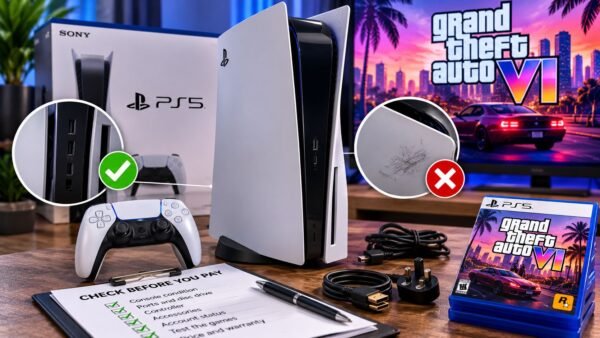
Look for HDMI 2.1, 120Hz and VRR in the TV’s official spec sheet rather than on the box sticker, and check which specific port carries them, because on many sets only one or two of the HDMI ports do. If you’re also shopping for the console itself, our checklist for buying a used PS5 in Nigeria covers the console side of the setup.
Warranty and power protection are where a TV purchase is won or lost
Ask who handles the warranty, for how long, and where the nearest service centre is. Samsung’s Africa warranty page, for example, lists a 12-month standard warranty on TVs and 24 months on UHD and QLED TVs bought from a Samsung authorised dealer, and it says proof of purchase, the serial number and the model number are mandatory for a claim. The page also notes that re-exporting a product from its original country is taken into account, so a set imported from abroad may not get the same cover. Other brands have their own terms, so get the warranty in writing and keep the receipt with the TV’s serial number on it.
Power protection matters just as much, because voltage swings and surges when grid power returns after an outage are a common reason TV power boards fail, and that kind of damage is often argued over at the service centre. A decent surge protector or stabiliser costs a small fraction of the TV and is worth buying on the same day. If you run the TV off an inverter or power station during outages, our guide to sizing a portable power station in Nigeria shows how to work out whether your setup can carry it.
What to prioritise if your budget only stretches so far
If you have to choose, put a supported, certified operating system ahead of a bigger screen. A slightly smaller TV that runs the apps you pay for and keeps getting updates will serve you longer than a larger set that loses app support early. After that, a clean panel and a real warranty matter more than extras like built-in soundbars or voice assistants.
Internet matters too, since a smart TV is only as smooth as the connection behind it. If you’re streaming over a home router, it’s worth reading our checks on the MTN 5G router before you assume the TV is the cause of any buffering. The practical aim isn’t to find the cheapest TV in the shop. It’s to leave with one that runs your apps today, survives the power supply you actually have, and has someone to fix it if the panel fails in year one.

Join the conversation