

The Nigerian Meteorological Agency (NiMet) warned on Friday, October 23, 2026, that hotter days, more dust and haze are on the way as the country moves out of the rainy season and into the dry season. The agency’s post on X was written for households, farmers, schools and outdoor workers, but the same sunshine lands on the phone in your pocket, the laptop on your lap and the power bank charging by the window, and it raises the risk of phone overheating at exactly the moment you need your devices to keep going through long power cuts.
NiMet said reduced rainfall, less cloud cover and shifting winds may let more sunlight reach the ground, though it didn’t give temperature figures for any state. The companies that make your gadgets are more specific. Apple says the iPhone is designed for ambient temperatures between 0°C and 35°C and its Mac laptops for 10°C to 35°C, which is a narrower comfort zone than most people assume, and Samsung describes in detail how a Galaxy phone throttles itself once it gets too hot.
| iPhone, in use | 0°C to 35°C ambient (Apple) |
|---|---|
| iPhone, stored | -20°C to 45°C (Apple) |
| Mac laptops, in use | 10°C to 35°C ambient (Apple) |
| Galaxy phones when too hot | Charging pauses, screen dims, background apps close (Samsung) |
| Places both brands warn about | Parked cars and long spells in direct sunlight |
A hot phone protects itself by quietly doing less
Apple’s temperature guidance for iPhone says that when the phone gets too warm, charging can slow or stop, the display can dim or go black, the cellular signal may weaken, the camera flash may be disabled and some apps may run slower. Samsung’s overheating guide for Galaxy phones lists a similar set of reactions and says plainly that “Charging will pause until the temperature drops.”
That matters when you’re trying to top up during the few hours the light is on. If your phone stalls at 60% on a hot afternoon, or the screen suddenly looks dull outdoors, heat may be the cause rather than a bad charger or a dying battery. Samsung’s advice is to pause what you’re doing, close background apps, lower the brightness, switch off Wi-Fi, Bluetooth, GPS and hotspot if you don’t need them, take the case off and unplug the charger until the phone cools down.
Your car’s dashboard is the riskiest spot this season
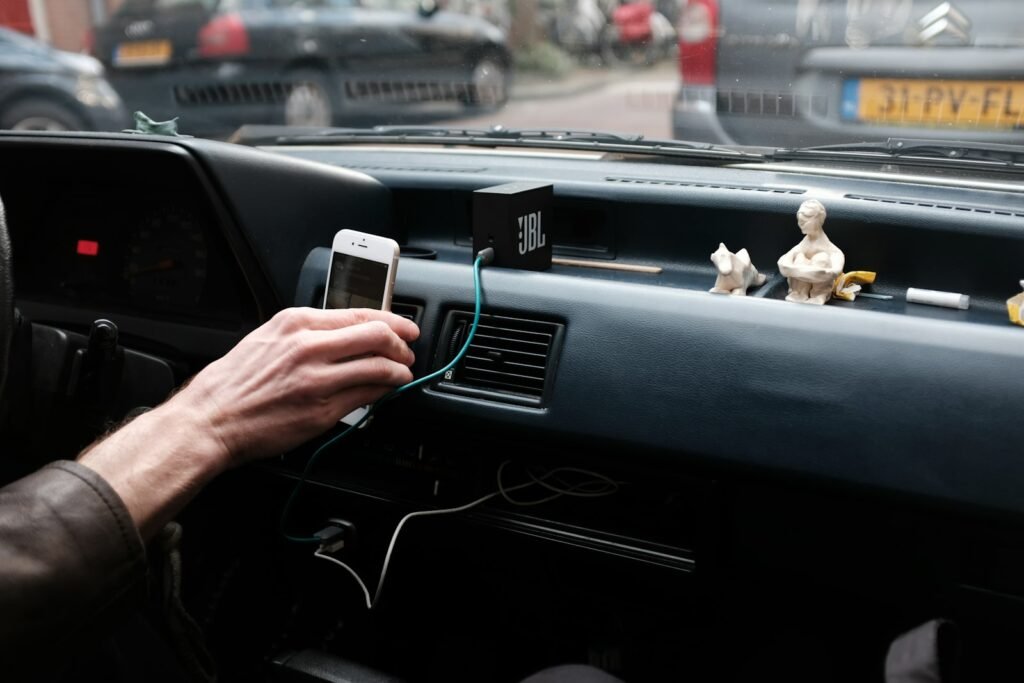
Apple tells iPhone owners “Don’t leave your device in a car, because temperatures in parked cars can exceed this range,” and it warns against long periods in direct sunlight. Samsung singles out parked cars too. If you drive for Bolt or Uber, or simply use your phone for directions, a phone in a windscreen mount is running navigation, charging and sitting in full sun all at once, so it’s the device most likely to throw a temperature warning between now and the end of the dry season.
Move the mount lower or onto an air vent if your car has working air conditioning, close apps you aren’t using while you drive, and take the phone with you whenever you park, even for a quick stop. When an iPhone does show a temperature warning, Apple says it may still be able to make emergency calls, and the fix is to turn it off, move it somewhere cooler out of the sun and let it rest.
Laptops need a hard surface and clear vents before the dust arrives
Apple’s guidance for Mac laptops asks you to use the machine on a stable surface with good ventilation, never on a bed, pillow or under bedding, and not to put anything into its ventilation openings. The advice applies to any laptop with a fan, whatever the brand. With NiMet also warning about dust and haze, a desk or table near open air is a far better workspace than a mattress or a cushion that blocks the vents and holds in heat.
Apple also suggests checking Activity Monitor if a Mac runs hot during light work, because a single app eating the processor can push temperatures up on its own. On Windows, Task Manager gives you the same view, so look there first before blaming the weather.
What’s worth buying, and what can wait
Most of what keeps a phone or laptop healthy in the heat costs nothing, so don’t rush to buy gadgets because of a weather warning. A clip-on phone cooler only makes sense if you play long gaming sessions, and our phone cooler comparison explains who actually benefits from one. For you rather than your devices, a rechargeable fan earns its keep on hot nights without power, and our guide to choosing a rechargeable fan covers battery life and noise. If you charge a power bank from a solar panel, our look at how long solar charging really takes is useful before you leave one baking in the sun all afternoon.
Over the next few months, treat a phone that stops charging, dims its screen or slows down on a hot afternoon as a heat warning first. Unplug it, move it into the shade, take the case off and give it a few minutes, and only start thinking about a new charger or a trip to the service centre if the problem keeps happening once the phone is cool.

Join the conversation