

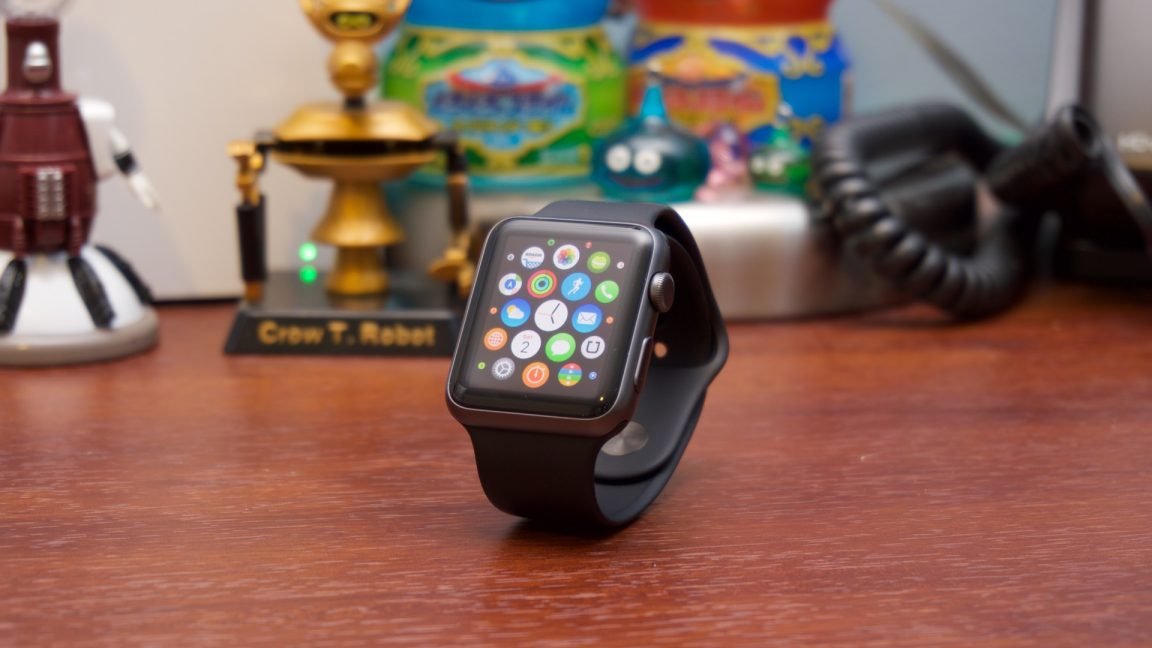
A used Apple Watch in Nigeria is only a good buy if it still gets watchOS 27 and the seller has fully removed Activation Lock. Apple’s watchOS 27 runs on the Apple Watch SE 3, Series 9 and later, and Ultra 2 and later, which means the Series 8, the second-generation SE and the first Ultra, three of the most common UK-used and US-used watches you’ll find on sale, are now stuck on older software.
Most used Apple Watches in Nigeria come in through foreign-used stock or from owners upgrading, so you’re rarely buying from a shop that can fix a problem later. The good news is that you don’t need special tools to protect yourself. You need your own iPhone, ten minutes with the seller, and the checks below, done in the order they appear, because the first two decide whether the watch is worth any money at all.
| Gets watchOS 27 | Apple Watch SE 3, Series 9, Series 10, Series 11, Series 12, Ultra 2, Ultra 3, Ultra 4 |
|---|---|
| Left on older software | Series 8 and earlier, SE (2nd generation) and earlier, Ultra (1st generation) |
| iPhone needed for watchOS 27 | iPhone 11 or later, or iPhone SE (2nd generation or later), on iOS 27 |
| Cellular service in Nigeria | No Nigerian carrier on Apple's Apple Watch cellular list |
| Checked | 6 October 2026 |
Start your used Apple Watch check with the model, not the price
Listings often mention the case size rather than the series, so confirm the model yourself before you talk about money. Open Settings > General > About on the watch and note the model and serial number. Apple’s guide to identifying your Apple Watch lists every series by its model number, so you can match what’s on the screen to the right generation in a minute or two.
The model matters more than it used to, because Apple’s watchOS 27 compatibility list stops at the Series 9 for the main line. A Series 8 isn’t broken, and it’ll keep working on the version it has, but it won’t get new features and its security updates will eventually slow down. If a seller prices a Series 8 close to a Series 9, the Series 9 is the better use of your money, since it’ll stay current for longer.
Check your own iPhone at the same time. Apple Watch only pairs with an iPhone, never with an Android phone, and watchOS 27 needs an iPhone 11 or later, or an iPhone SE (2nd generation or later), running iOS 27. If you’re also shopping for the phone, our guide to buying a UK-used iPhone in Nigeria covers the iOS 27 cut-off on that side.
Activation Lock is the check that can turn a deal into a paperweight
Activation Lock is part of Find My, and it switches on automatically when the owner sets the watch up with Find My on their iPhone. While it’s on, nobody can pair the watch with a new iPhone without the previous owner’s Apple Account details. Apple says the seller has to “unpair the watch and remove Activation Lock by entering their Apple Account password” before you can use it, and a factory reset done on the watch alone doesn’t remove it.
The safest test is to pair the watch with your own iPhone before you pay. Open the Watch app, start pairing, and watch what happens during setup. If you’re asked for the previous owner’s Apple Account password, Activation Lock is still on, and you shouldn’t hand over money until the seller removes it in front of you. Apple’s page on Activation Lock on Apple Watch explains that the owner can do this from the Watch app on their iPhone or, if they no longer have the watch’s iPhone, by erasing it and choosing Remove at icloud.com/find.
Don’t agree to pay now and have the lock removed later. If the seller can’t remove it while you’re there, it’s safer to walk away, because a watch you can’t pair with your own iPhone is of no use to you.
Two serial numbers should tell the same story
Apple engraves the serial number inside the band slot on every Apple Watch from the Series 1 onward. Take the strap off, read the engraving, and compare it with the serial in Settings > General > About, which Apple’s guide to finding the Apple Watch serial number walks through. If the two don’t match, something on the watch has been replaced, and you can’t be sure what you’re buying.
Once they match, put the serial into Apple’s check coverage page. It confirms the exact model and shows whether any Apple warranty or AppleCare is left. Apple doesn’t run its own store in Nigeria, so how much that leftover cover helps you depends on where you can take the watch for service, which we’ve explained in our piece on Apple warranty for devices bought abroad.
Battery health and the cellular badge can change what the watch is worth
Open Settings > Battery > Battery Health on the watch and look at the maximum capacity. A watch that’s been worn daily for three or four years will usually show a lower figure, and in practice that means charging before the day is over. It isn’t a reason to refuse the watch on its own, but it’s a fair reason to ask for a lower price.
Be careful with the GPS + Cellular premium. Apple’s list of Apple Watch cellular carriers doesn’t include any Nigerian network, so the eSIM inside a cellular model won’t connect on MTN, Airtel, Glo or T2. The watch still works perfectly well through your iPhone and Wi-Fi, so you shouldn’t pay much extra for cellular unless you’ll use it on trips abroad. Apple also asks sellers to cancel any cellular plan linked to the watch, so ask about it on cellular models.
Health features are a separate question. Some of them depend on region, and we’ve covered which ones work locally in our look at the Apple Watch Series 12 in Nigeria.
Which used Apple Watch makes sense if you want it to last
If you want a used Apple Watch that’ll keep getting new software for a few more years, start your search at the Series 9 or the SE 3, and treat the Ultra 2 as the entry point if you want the bigger, tougher case. Older models can still make sense as a cheap fitness tracker, as long as the price reflects the fact that they’ve reached the end of the update line.
Buy it if
- iPhone 11 or newer owners who want an Apple Watch at a lower price
- Buyers who can test pairing and Activation Lock with the seller present
- Anyone choosing a Series 9, SE 3, Ultra 2 or newer
Skip it if
- Android phone users, since Apple Watch only pairs with iPhone
- Buyers being asked to pay before the seller removes Activation Lock
- Anyone paying near Series 9 money for a Series 8 or older
A used Apple Watch is a good buy when it still gets watchOS 27, pairs cleanly with your own iPhone and has matching serial numbers. Treat any watch that fails the Activation Lock test as unsellable, whatever the price.
The practical aim isn’t to find a perfect watch. It’s to make sure the one you pay for is unlocked, still supported and priced for its age, and pairing it with your own iPhone before money changes hands answers most of those questions at once.

Join the conversation