

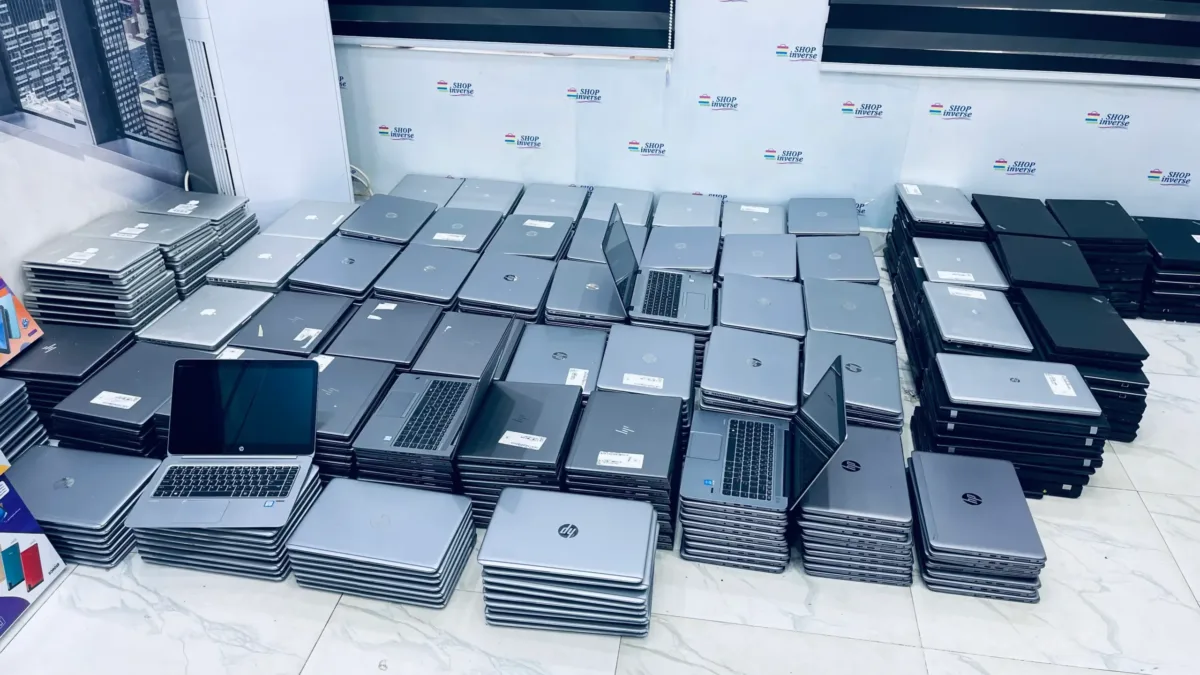
A UK-used laptop in Nigeria can look perfect in the shop and still be locked to the company that owned it before, either through a BIOS administrator password or through Microsoft’s Windows Autopilot, which brings back the old company’s sign-in screen the moment the laptop is reset. Both locks are common on ex-corporate HP EliteBook, Dell Latitude and Lenovo ThinkPad models, and neither shows up while the seller’s copy of Windows is running smoothly on the table.
That’s why these locks catch so many buyers. You pay, take the laptop home, reset it or try to install a fresh copy of Windows, and only then find a password prompt you can’t clear or a “Welcome to” screen asking for a work account you’ll never have. The good news is that you can check for both in about five minutes before any money changes hands, and the steps below don’t need the internet or any special tools.
Why a UK-used laptop can still belong to its old company
Most UK-used business laptops sold in Nigeria come from companies, schools and public offices that replaced their fleets. Those organisations usually manage their machines centrally. A BIOS administrator password stops staff from changing firmware settings or booting from a flash drive, and it lives on the laptop’s motherboard, so wiping the drive or reinstalling Windows doesn’t remove it. If the IT team didn’t clear it before the laptop was sold off, it travels to Lagos or Abuja with the machine.
Windows Autopilot works differently. The laptop’s hardware ID is registered to the company’s Microsoft account in the cloud, so whenever Windows is set up from scratch, it checks in with Microsoft and loads the company’s own setup screen. Microsoft’s Autopilot registration guidance tells organisations to deregister a device whenever it permanently leaves them, but that step gets missed, and only the previous organisation can normally undo it from its admin portal. A new owner in Nigeria has very little leverage once the seller has been paid.
Five checks that expose a locked UK-used laptop in the shop
Ask the seller to give you the laptop switched off, then work through these in order. If a seller won’t let you restart the machine or open its settings, treat that as an answer in itself.
The dsregcmd check is the one most buyers have never heard of, and it’s the quickest way to spot an Autopilot laptop without waiting for a full reset. A personal laptop normally shows AzureAdJoined as NO. Seeing YES doesn’t always mean an Autopilot lock is waiting for you, but it does mean the laptop was managed by a company, and you should ask the seller to prove it has been released before you go any further.
What each warning sign on a UK-used laptop usually means
| What you see | Likely cause | What to do |
|---|---|---|
| Password box before the BIOS opens | BIOS administrator password left by the old company | Ask the seller to clear it in front of you, or walk away |
| “Welcome to” a company name during Windows setup | Laptop still registered to Windows Autopilot | Don’t buy unless the seller can show it has been deregistered |
| A company account under Access work or school | Laptop still joined to an organisation | Run dsregcmd /status and ask for a reset before paying |
| Boot from USB option greyed out | Firmware settings locked by the previous IT team | Treat it as a BIOS lock and negotiate or leave |
Be careful with sellers who say a BIOS password “can be removed later” for a small fee. On HP business laptops, for example, HP directs owners who’ve lost a BIOS administrator password to contact HP support with proof of ownership, and you won’t have the original company’s purchase records. Some locks can only be cleared by replacing the motherboard, which can wipe out whatever you saved on the price.
Which buyers are most at risk, and how to shop safer
If you plan to keep the seller’s Windows installation as it is and never reset the laptop, an Autopilot registration might not bother you for months. Most people do reset eventually, though, whether to clear a virus, sell the laptop on or upgrade storage, and that’s the day the lock appears. Students are especially exposed, because a laptop that locks up in the middle of a semester is hard to replace quickly. Our guide to choosing a laptop for university students in Nigeria covers the Windows 11, battery and SSD checks you should run alongside these ones.
The same idea applies beyond Windows machines. Apple laptops carry their own Activation Lock, which we explain in our UK-used MacBook checklist, and Chromebooks from schools can be enrolled to the institution, as our UK-used Chromebook guide shows. In every case, the lock belongs to whoever owned the device first, not whoever is selling it now.
The practical aim isn’t to avoid UK-used laptops, because a well-kept EliteBook, Latitude or ThinkPad can be excellent value. It’s to buy one that is fully yours, with an open BIOS, no company account attached and a seller who will put a fair return window on the receipt.





Join the conversation