

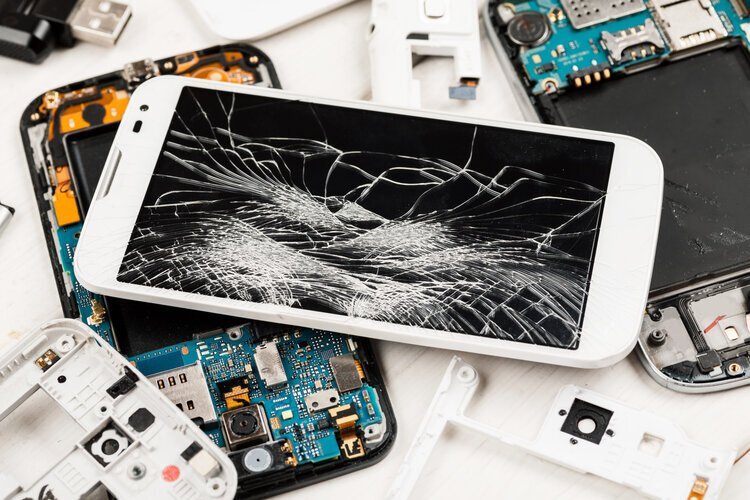
A phone screen replacement in Nigeria can mean three very different parts at three very different prices, which are an original panel from the manufacturer, an aftermarket OLED copy, or an incell LCD that’s built to fit a phone that originally shipped with OLED. They can look the same on the repair table, but they don’t behave the same once the phone is back in your hand, and the cheapest quote is often the incell option.
The good news is that you don’t need to know how to open a phone to protect yourself. You just need to ask the right question before the technician starts, and to run a few quick checks before you pay and leave. Start with the comparison below, because it explains why two quotes for “the same screen” can be so far apart.
| Original panel | Aftermarket OLED | Incell LCD | |
|---|---|---|---|
| Panel type | Same OLED the phone shipped with | OLED from a third-party maker | LCD with touch built into the panel |
| Blacks and contrast | True blacks | True blacks, colour can vary | Greyish blacks, backlit |
| In-display fingerprint (optical) | Works | Usually works | Usually doesn't work |
| Battery drain | As designed | Close to original | Often higher, dark mode saves little |
| Parts check on iPhone | Genuine Apple Part | Unknown Part | Unknown Part |
Original panel wins on 1 of 5 counts.
Why the incell quote is always the cheapest one
An incell screen is an LCD panel with the touch layer built in, and it’s the budget fix for phones that came with OLED, such as most recent iPhones, Samsung Galaxy S and many A series models, and the higher Tecno and Infinix lines. LCDs need a backlight, so the panel is a little thicker, blacks look dark grey instead of black, and dark mode stops saving much battery because the backlight is always on.
The bigger catch on Android is the fingerprint sensor. Optical in-display sensors read your finger through light passing between the OLED pixels, and an LCD with a backlight usually blocks that, so many phones lose the fingerprint unlock after an incell repair. If your phone unlocks with a fingerprint on the screen, tell the technician that you need it to keep working, and ask them to confirm it on the spot before you pay.
On an iPhone, Settings will tell you what went in
Apple makes this part easier than most brands. On iPhone 11 and later (except the iPhone SE second and third generation), go to Settings > General > About and look for Parts and Service History. A genuine panel fitted with Apple’s process shows as “Genuine Apple Part”, while a copy shows “Unknown Part”. Apple’s guide to genuine iPhone displays says a non-genuine screen can cause Multi-Touch problems, True Tone not working correctly, reduced maximum brightness, colour calibration issues and unintended battery drain.
That message stays in the phone’s history, which matters when you sell later. Apple’s parts and service history page notes that unknown parts can affect trade-in value, and buyers who know what to look for will check it. If you’re on the other side of that deal, our checklist for buying a UK-used iPhone walks through the same screen.
Tecno, Infinix and itel owners have an official price list to compare against
If your phone is a Tecno, Infinix or itel, check Carlcare first. Its spare parts price tool lets you pick your brand, series, model and memory version to see the official part price, and you can book a slot through online reservation instead of queuing. Even if you end up at a roadside repairer, that figure gives you a baseline. A quote far below it is a strong hint that you’re being offered a copy, not the original part.
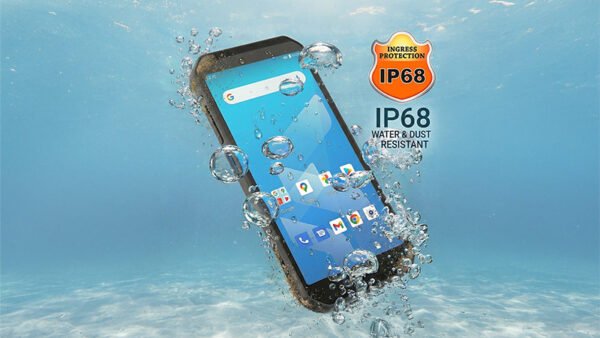
It’s also worth running Carlcare’s warranty check before paying anyone. A phone still under warranty won’t usually be covered for a cracked screen, since that’s accidental damage, but opening it at an unofficial shop can complicate any other claim you’d want to make later. The same caution applies if your phone has taken water, as we explain in our piece on why water damage isn’t covered even on IP68 phones.
When a cheaper screen is a reasonable choice
A copy isn’t always the wrong call. If your phone is old, you plan to replace it within a year, and you unlock it with your face or a PIN, a decent aftermarket OLED or even an incell panel can be a sensible way to keep it going. Be careful with incell on a phone you rely on for banking apps with fingerprint login, because losing the sensor turns every transfer into a PIN entry, and that’s easy to underestimate.
The practical aim isn’t to always pay for the most expensive part. It’s to know exactly which part you’re paying for, so the price matches what you get and nothing you depend on stops working once you’ve left the shop.


Join the conversation